PVP Regions
On SovereignMC, PVP Regions are hotspot regions on the map where nations contest each other for control to gain monetary and material rewards.
“Wait… are we missing something?”
PVP Regions are a work in progress and plenty of minor or even major features may be omitted! Want to become a wiki contributor? Fill out an interest form! {.is-warning}
What exactly are PVP Regions?
- Mentioned earlier, PVP Regions are valuable regions on the map that are fought over and contested by nations and their allies.
How do they behave?
- They are special regions on the map where players cannot break, place or otherwise interact with blocks.
- They cannot be claimed by nations.
- Keep Inventory and is enabled for the duration contestation, with item durability being disabled (Unbreakable).
- Any nation can contest these regions and can be reinforced by their allies.
- Each region can only be attacked by the same nation once per day, while regions themselves can be attacked thrice per day.
- If an allied nation reinforces the attacking side, it is treated as launching its own attack on the region and consumes one of its daily attack attempts.
Preparation Phase I
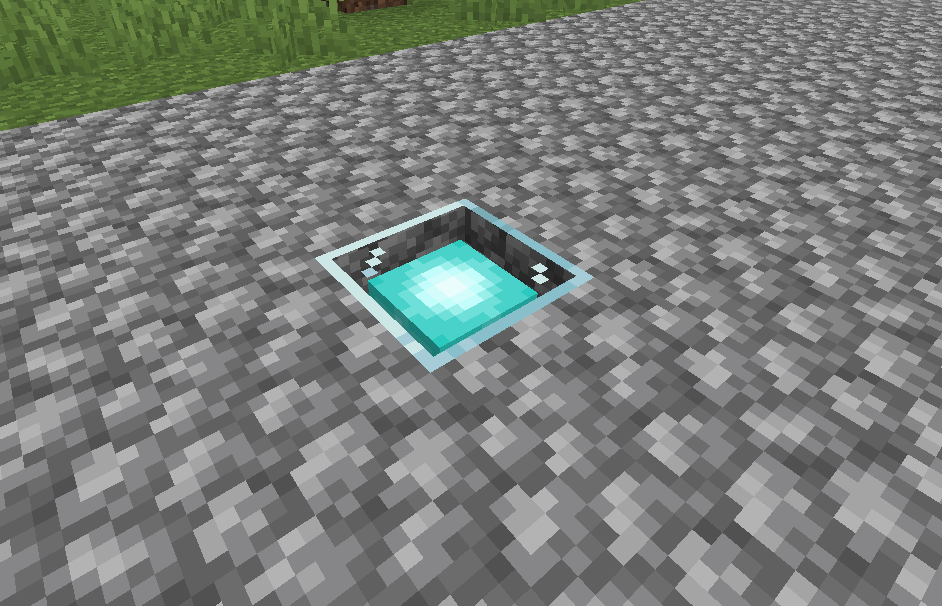
Firstly, to begin an attack, the attacker who must either be a leader, coleader or general in their nation must travel to the region itself and go to the attacker / defender spawn which is marked by a beacon and shift right click on it to open the gui.
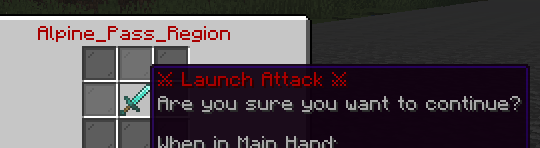
This will open the Attack Gui where you can launch an attack on the region. Regions can be attacked thrice per day, but the same nation can only attack it once. The region controller will be able to set the 8-hour invulnerability window where the region cannot be attacked.

The Preparation Phase lasts 50m, and there will be another phase called the Deployment Phase which will last 10m.
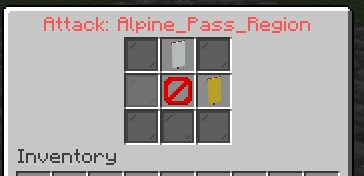
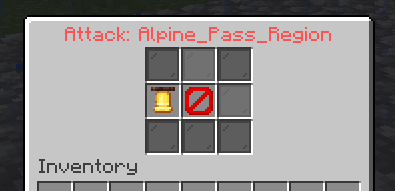
Once a battle has started, the Attack GUI will now show three buttons:
Call for Reinforcements Button(Yellow Banner) • which will open a GUI list of all the allied nations you can call for reinforcements.Reinforcement Requests Button(Bell) • which will open a GUI list of all your pending reinforcement requests.Withdraw Button(White Banner) • which will concede the region to the opposing side OR pull your nation out from reinforcing a side.
Preparation Phase II
Reinforcements are allies who are called into the region by the attacker or defender. If they are called in by the attacker, then the allied nation reinforcing the attacker will count as the allied nation attacking the region itself, making it so that alliances cannot cycle through regions.
Defenders, however, may defend as many times as they wish (subject to change).
When calling for reinforcements, the allied player of sufficient rank must travel to the PVP Region themselves to shift right click on the beacon to accept the reinforcement request. This is to discourage long distance warping to regions.


Preparation Phase III
Now, finally, how do I get my nation members to attack / defend / reinforce a battle? All of this is handled through GUIs that are accessed by the /pvpregions command.
Don’t worry! If your nation member disconnects, they still remain in the battle roster!
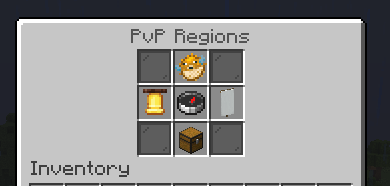
Before your nation members participate in any battle, they must first lock in for your nation. This will lock their region participation to your nation for 30d.
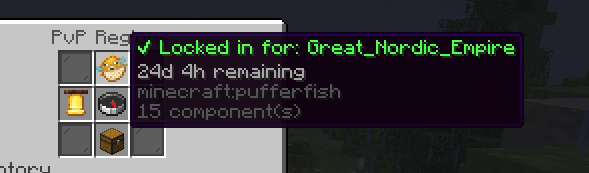
Your nation members can join and leave battles they are directly tied to through the Join Battle Button (white flag) and select which region they wish to participate in. Similarly, they can press the Reinforcements Button to reinforce any battle your nation has involved itself in.
Deployment Phase

The Preparation Phase lasts 50m, where you will have time to gather supplies, muster your forces and gather allies in preparation for your battle.
In the Deployment Phase which lasts 10m, you will make your last minute preparations before the battle begins.
You will also have this time to make sure your nation members are inside their town’s claims, or else they won’t be teleported once the Deployment Phase ends and the Battle Phase begins!
From this point on, you cannot leave your nation, town, withdraw your nation or otherwise leave the battle! You have no choice but to fight.
Battle Phase
Once the Deployment Phase ends, all queued players inside their town’s claims are teleported to their side’s spawn point and the battle begins.
Rules during the Battle Phase:
- /t leave and /n leave are disabled
- KeepInventory is enabled
- Block interactions are disabled
- Players repot with shulkers, though shulkers may only be placed near a town’s homeblock OR inside PVP Regions in addition to being restricted to only storing potions.

Battle points are region and battle specific, and are shared between attacker and defender.
Every 2m 30s players, if they are still queued to the battle and are within their town claims, are teleported back to the battle. Players who came late and players who died still have a chance to participate in the battle.
To win, the attackers must get the battle points to positive. To win, the defenders must get the battle points to negative.
If the battle points are between +150 or -150 after 20m, then the battle will end with a draw and effective defender victory.
If the threshold of +1,000 or -1,000 is reached, then it will be an automatic win regardless of the remaining time.
Sources of points:
- 8 battle points every 5s for every Capture Point captured and held.
- 25 per death.
If capture points are contested, then you won’t be able to gain points! *All of these values are subject to change.
Return Phase

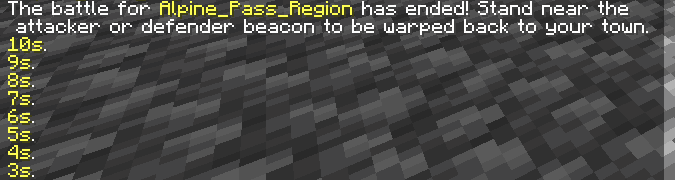
Once the battle is over, the Return Phase begins which lasts 3m. You will have this time to return to either the attacker or defender spawn to be teleported back to their town. You must stand still for 10s to be teleported back to your spawn.
During this phase, KeepInventory will also be disabled. So be careful!
Region Information
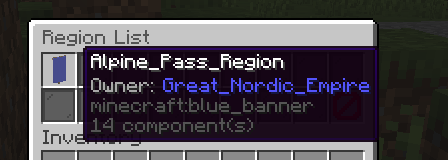
In /pvpregions, you can access Region Information. This will show a display of all PVP Regions, who controls them and their 8-hour invulnerability window.
The Invulnerability Window is based on UTC. (no GMT+0, no daylight savings.)
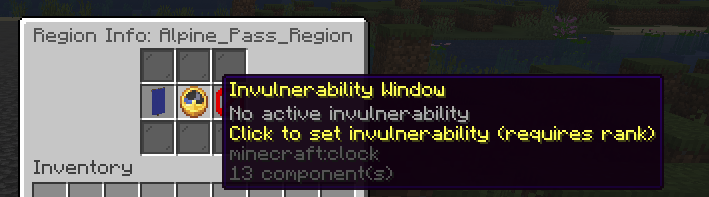
Clicking on a region displays its information. If you control the region and have the required permissions, you can set its invulnerability window. You choose when the window begins, and it will remain active for the next 8 hours.
Each invulnerability window is region-specific! Don’t forget to set your invulnerability window once you capture the Region!

Region Rewards
Region base rewards are dynamic. The more contested a region is (kills, ownership changes), the higher the monetary payouts.Each region has a base amount which is $5,000 and decays / increases depending on how contested the region is. The minimum amount can decay down to $750.
The flat and passive payout is taken from the base amount.
After every battle, the victorious nation receives both a:
- A flat payout deposited into the nation bank.
- A passive payout which is a small piece of the flat payout paid every 30m to the nation bank.
- If the victorious nation is the attacker, the flat and passive payouts are increased by
+50%.
Regions decay daily, reducing their reward value. Fight over them to keep rewards high.